.png)
Marketing Automation Workflow: How to Design High-Converting Sequences from Scratch
.png)

.png)

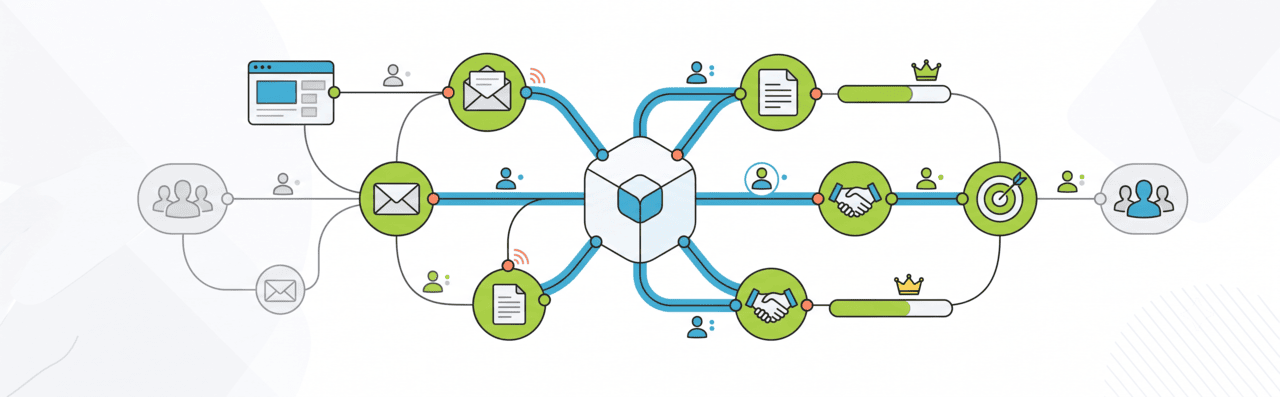
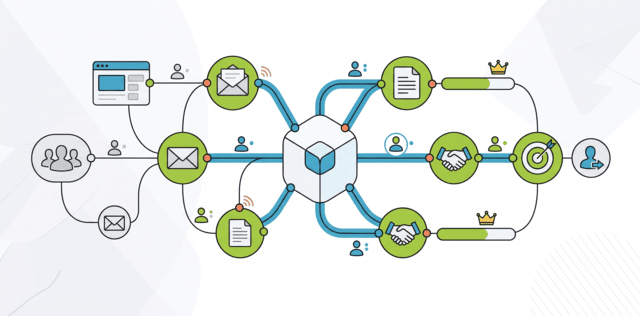
A marketing automation workflow is a series of automated actions that run when a prospect takes a specific action or meets certain criteria. These actions can include sending emails, updating CRM records, assigning leads to sales teams, or triggering follow-up tasks. Unlike basic drip campaigns (pre-scheduled email sequences), workflows can adjust based on how people engage and stop automatically when a prospect reaches a defined goal or stage.
Introduction
A marketing automation workflow is not a drip email sequence. It is a structured system that responds to what contacts actually do: what they visit, what they download, and how long they go without engaging. It routes them toward a commercial outcome based on those signals.
Most marketing teams have automation running. Fewer have workflows that consistently produce a qualified pipeline. The gap is usually structural: workflows built on time-based delays rather than behaviour, triggers that are too broad, and exit conditions that were never defined.
For C-level executives and decision-makers at SMEs and mid-market businesses across APAC, the US, and Australia, the practical question is not whether to use automation — it’s whether the workflows in place are designed to move contacts toward revenue or simply to maintain contact activity. Those are different objectives, and they produce different outcomes.
What This Guide Covers
- What a marketing automation workflow is and how it works as a system
- The core components every workflow needs to function correctly
- The main workflow types and what each is designed to accomplish
- How to build a workflow from trigger to exit condition
- Realistic performance benchmarks by workflow type
- Where workflows break down in practice and how to diagnose them
- When to scale, pause, or restructure a workflow
What Is a Marketing Automation Workflow?
A marketing automation workflow is a logic-based sequence that automatically executes actions — sending an email, updating a CRM field, assigning a sales task, or delivering content — when a contact meets a defined trigger condition. It runs without manual intervention for each contact, which is what makes automation operationally valuable at scale.
The distinction between a workflow and a broadcast email campaign matters. A broadcast goes to a defined list at a scheduled time. A workflow fires when a contact’s behaviour meets a condition, regardless of when that behaviour occurs. A contact who downloads a product comparison guide at 11 pm on a Sunday enters the relevant nurture sequence immediately — not at the next scheduled send. That timing difference compounds across thousands of contacts and meaningfully affects conversion rates.
Workflows interact with each other and with other systems. A contact in a nurture workflow may also trigger a lead scoring update, which then fires a sales alert workflow when a threshold is crossed. The nurture sequence, the scoring model, and the sales handoff are not three separate automations — they are components of one connected system.
Drip Campaigns vs. Workflow Automation
Understanding the difference between a drip campaign and a workflow is important before building either. They serve different purposes and have meaningfully different performance ceilings.
What Are the Core Components of a Marketing Automation Workflow?
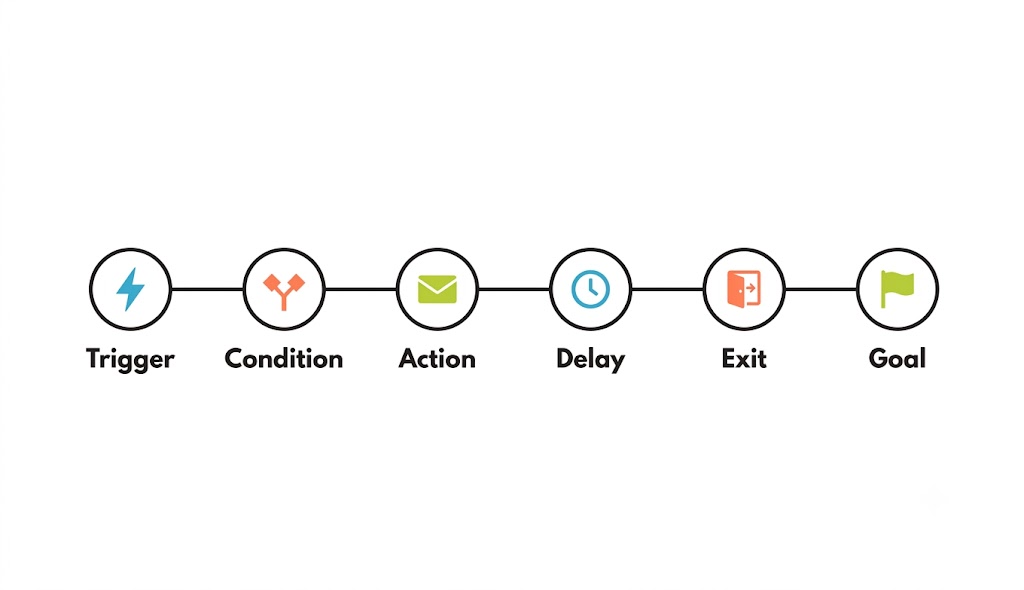
Every workflow, regardless of type or platform, consists of the same structural components. Understanding what each does — and where each commonly fails — determines whether the workflow produces results or runs invisibly with no commercial impact.
The exit condition is the component most frequently skipped during workflow setup and the one that causes the most downstream problems. A contact who converts should leave the workflow immediately. A contact who goes silent for 60 days should exit to a re-engagement sequence or be suppressed entirely.
What Are the Main Types of Marketing Automation Workflows?
Different commercial objectives require different workflow architectures. A welcome sequence has a different trigger, goal, and success metric than a re-engagement campaign — even if both run on the same platform.
Most automation programmes underinvest in post-conversion workflows. Onboarding, upsell, and re-engagement workflows often produce higher ROI because they operate on contacts who already have a commercial relationship with the business.
How Do You Build a Marketing Automation Workflow from Scratch?
Building a workflow from scratch requires four decisions before any platform configuration begins: what the trigger is, what the workflow is designed to accomplish, what the exit condition is, and how success will be measured.
Start with the trigger. The trigger should be specific enough to identify contacts with genuine intent. A form fill on a pricing page or demo request is a more reliable trigger for a sales-ready nurture sequence than a blog subscription form fill. Using the same trigger for every workflow flattens the distinction between engaged prospects and casual visitors.
Define the goal before writing a single email. The goal determines what the workflow is optimizing for and what constitutes a successful exit. For a B2B lead nurture workflow, the goal might be reaching an MQL score threshold. For an abandoned cart workflow, the goal is a completed purchase. Without a defined goal, it is impossible to evaluate whether the workflow is working or just running.
Map the sequence by buying stage, not by content availability. The most common structural mistake is building a sequence around what content exists rather than what a contact at a specific stage needs to hear. A contact who downloaded a technical whitepaper is further along than one who read an introductory blog post.
Set time delays based on behaviour where possible. Fixed seven-day delays treat an engaged contact and a disengaged contact identically. Behaviour-based delays — waiting until the contact visits the pricing page, or waiting seven days unless they click — consistently outperform calendar-based sequencing on conversion metrics.
How Do Marketing Automation Workflows Work as a System?
Individual workflows produce limited value in isolation. The commercial impact of automation comes from the connections between workflows and the systems they feed data into.
A functioning system operates like this: a contact fills out a gated content form. The entry workflow fires — a confirmation email is sent, the CRM record is created or updated via REST API, and a lead score is initialized. Over the following weeks, the nurture workflow delivers content based on behavioural signals. Each interaction updates the lead score via JSON webhook. When the score crosses the MQL threshold, a sales alert workflow fires. The sales rep receives a notification with the contact’s full engagement history, and the contact exits the nurture sequence simultaneously.
That system only works if the data moves correctly at every step. CRM sync delays and webhook processing times are a real operational constraint — in our experience reviewing mid-market automation setups, batch syncs running every 4–6 hours create windows where a contact’s lead score in the automation platform doesn’t match what sales sees in the CRM. Real-time bidirectional sync, supported by tools like Segment (Twilio), RudderStack, or Tealium, eliminates this gap by streaming contact events as they happen.
Data hygiene matters here, too. Duplicate contact records, mismatched email identifiers, or inconsistent lifecycle stage labelling cause workflow logic to misfire. Using hashed emails (SHA-256) or UUIDs as consistent contact identifiers across platforms reduces the risk of a contact being enrolled in conflicting workflows because the system treats two records as different people.
Privacy, Compliance, and Tracking Infrastructure
Privacy regulations directly affect how workflows can be triggered and what data can be used for scoring. This is not just a legal consideration — it shapes what your automation infrastructure needs to look like.
- GDPR (EU): requires a lawful basis for processing contact data and explicit consent for marketing communications
- CCPA / CPRA (California): gives consumers the right to opt out of data sales and requires disclosure of data collection practices
- Australia’s Privacy Act and Spam Act: requires express or inferred consent before sending commercial messages, with mandatory unsubscribe mechanisms
- APAC jurisdictions: Singapore’s PDPA, Japan’s APPI, and others impose similar consent and data handling requirements
Apple’s iOS 14.5+ App Tracking Transparency framework and Google’s Privacy Sandbox have also reduced the behavioural signals available from web and app activity. Apple Mail Privacy Protection registers email opens regardless of user action, inflating open rate data and making it an unreliable scoring input.
The reliable infrastructure for automation in a privacy-restricted environment relies on three foundations:
Server-side tracking: Rather than relying on browser-based scripts that can be blocked by iOS restrictions or ad blockers, server-side Google Tag Manager (sGTM) captures behavioural events directly through your own server infrastructure. This means you retain data even when the client-side environment is restricted — and you control what gets sent to third-party platforms.
First-party CRM data: Information collected directly from your contacts — transaction history, product usage, support interactions, and consent-captured preferences — owned and stored in your CRM (e.g. HubSpot Custom Objects or Salesforce Marketing Cloud Account Engagement / Pardot Completion Actions). This data is not affected by third-party deprecation because it never relied on external tracking.
Consent-based event capture: Behavioural events (page visits, form fills, content downloads) tied to a consented contact record — stored against a first-party cookie, hashed email (SHA-256), or UUID rather than a third-party identifier. This is the only category of tracking data that remains fully reliable as privacy restrictions tighten.
What Do Realistic Workflow Performance Benchmarks Look Like?
Workflow benchmarks vary significantly by industry, audience quality, and how the sequence is structured. The figures below are directional ranges based on industry reporting from platforms including HubSpot and Bloomreach. They should be used as calibration points, not targets, and interpreted in the context of your specific deal size and sales cycle length.
Note: all percentage ranges below vary by industry, market maturity, deal size, and sales cycle length. Do not treat these as firm benchmarks for your specific context.
Welcome sequences consistently outperform other workflow types on open and click rates because contacts are at peak interest immediately after opting in. The benchmark deteriorates quickly if the first email is delayed or the messaging is generic.
Re-engagement benchmarks deserve particular attention. A reactivation rate of 5–15% means 85–95% of contacts in a re-engagement sequence will not respond. Those contacts should be suppressed after the sequence completes — not recycled into the main nurture programme. Continuing to send to unresponsive contacts raises spam complaint rates and reduces sender reputation.
On sequence length: there is no universal answer. Most B2B nurture sequences perform best with four to eight emails, but the right number depends on your sales cycle length, deal size, and how quickly your audience signals intent. A high-velocity SMB deal might need three emails over two weeks. An enterprise software deal with a six-month cycle might need twelve emails over three months. The sequence should end when the contact achieves the goal — not when a pre-set number of emails have been sent.
Where Do Marketing Automation Workflows Break Down?
Most workflow failures are diagnosable and structural — not platform or content problems.
Workflow sprawl is an underestimated problem in organizations that have been running automation for more than 12 months. It occurs when new workflows are added without deactivating or consolidating existing ones. In our experience auditing automation programmes for mid-market clients, it’s common to find contacts enrolled in three or four active sequences simultaneously — receiving conflicting messages and generating unsubscribes that erode the usable list.
Attribution accuracy also degrades as workflow complexity increases. Multi-touch attribution or Marketing Mix Modelling (MMM) provides a more accurate picture of which workflows are actually contributing to the pipeline, but both require more operational investment than default platform reporting.
When Should You Scale, Pause, or Restructure a Workflow?
Scaling a workflow means increasing the volume of contacts entering it. That decision should be based on performance evidence — not the assumption that a well-configured workflow improves with more contacts. A workflow with structural problems produces worse outcomes at higher volume.
Pause a workflow when it is sending to contacts for whom the content is no longer relevant — for example, a nurture sequence that continues after a contact has been disqualified by sales, or an onboarding sequence running for customers who churned six months ago. These are exit condition problems, not logic errors.
Restructure when the workflow’s fundamental premise has changed. A lead nurture sequence built for a product that has since been repositioned may not be fixable by adjusting triggers or delays. The starting assumption is wrong, and the workflow needs to be rebuilt from the trigger definition outward.
Conclusion
Marketing automation workflows produce commercial outcomes when they are designed around buying behaviour, not content delivery schedules. The trigger, the exit condition, the goal definition, and the CRM integration are not configuration details — they determine whether the workflow generates a pipeline or generates send volume with no connection to revenue.
The workflows that consistently contribute to commercial outcomes share a common structure: a specific trigger that identifies genuine intent, content calibrated to the buying stage, a defined goal that marks successful conversion, and data that flows accurately between the automation platform and the CRM — in real time, not in batches.
Frequently Asked Questions (FAQs)
What is a marketing automation workflow?
A logic-based sequence of automated actions — emails, CRM updates, sales alerts — triggered by contact behaviour or attributes. It runs without manual intervention for each contact and is designed to move contacts toward a defined commercial outcome.
What is the difference between a workflow and an email drip campaign?
A drip campaign sends a pre-set sequence to a list on a fixed schedule. A workflow fires when a contact meets a trigger condition, adjusts based on behaviour, and can route contacts down different paths depending on what they do. Workflows are responsive; drip campaigns are not.
How many emails should a marketing automation workflow contain?
It depends on your sales cycle, deal size, and audience. A high-velocity SMB workflow might need three emails over two weeks. An enterprise workflow might need twelve over three months. Most B2B nurture sequences perform best with four to eight emails as a starting range. The sequence should end when the contact achieves the goal — not when a pre-set number of emails have been sent.
Why are my automation workflows not converting?
The most common causes are triggers that are too broad, missing exit conditions keeping converted contacts in nurture, lead scoring inputs relying on open rates inflated by Apple Mail Privacy Protection, CRM sync delays causing data mismatches, and workflows not connected to real-time CRM data for accurate routing.
How do you measure the performance of a marketing automation workflow?
Measure goal completion rate, MQL-to-SQL conversion for nurture workflows, reactivation rate for re-engagement workflows, and pipeline generated from workflow-sourced contacts. Open rate and click-through rate are operational health indicators, not performance measures.
What is a good MQL-to-SQL conversion rate for B2B automation workflows?
For B2B mid-market with a well-calibrated scoring model, 10–20% is a commonly observed range — though this varies by industry, deal complexity, and sales cycle length. Below 10% consistently indicates the scoring threshold is too low or the trigger is admitting contacts without genuine buying intent. Use this as a calibration reference, not a universal standard.
Related Content
Read These Next
Retention Marketing Tactics: 10 Proven Ways to Stop Your Customers from Leaving